The PyBot Robotics Kit
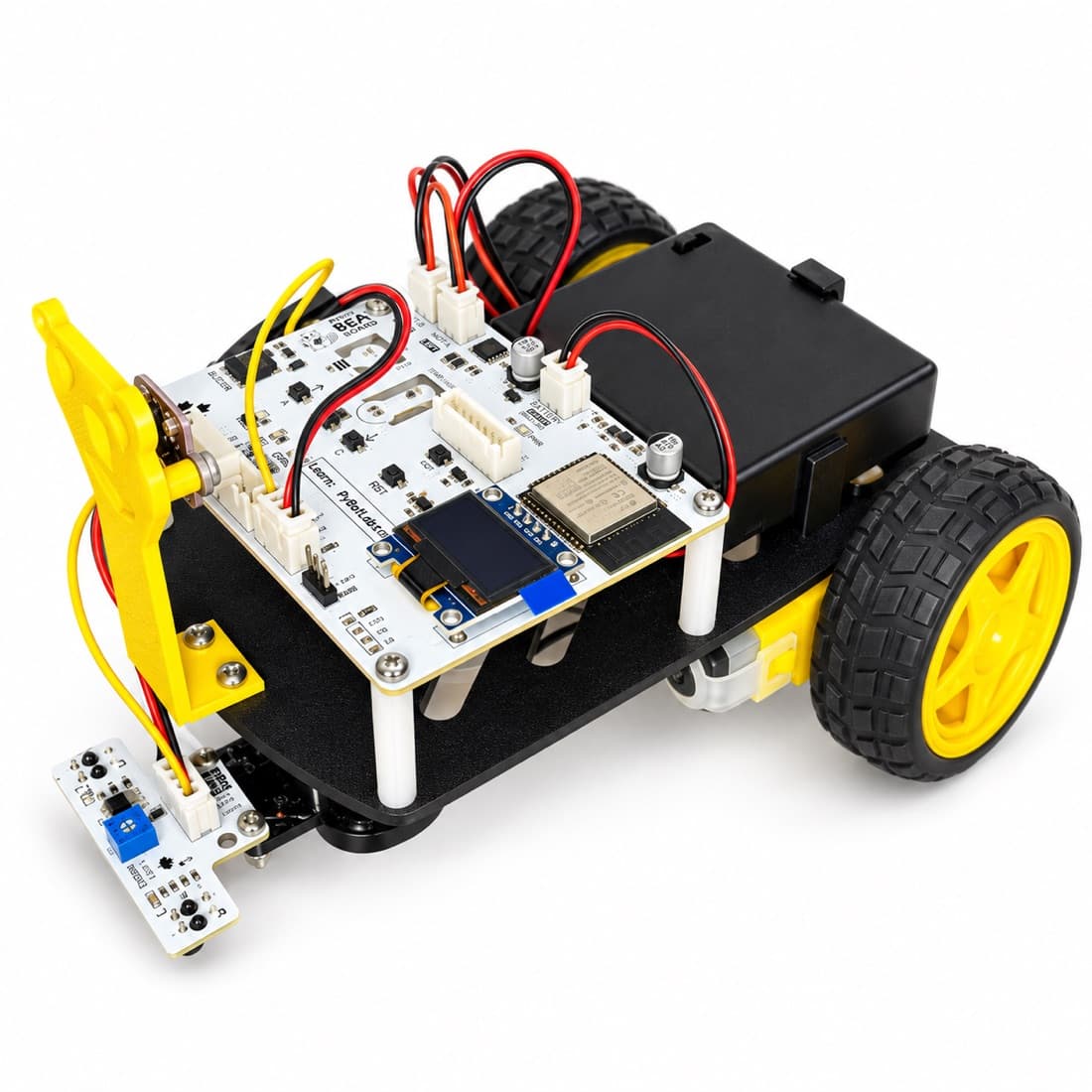
Everything in the Beaver Board, plus a chassis, motors, and sensors — snap it together and you've got a wheeled robot you can drive over Bluetooth, teach to follow a line, or steer around obstacles.
Why this kit
Twelve parts, one screwdriver, no wiring diagrams.
No wiring, ever
Motors, sensors, and the driver all plug into keyed JST connectors on the Beaver Board — nothing to solder or short.
Wireless code upload
Connect over Bluetooth Low Energy from Chrome or Edge and upload code straight from the browser.
Pre-flashed and provisioned
Every board ships ready to pair — power it on and the OLED shows the PIN to connect.
~15-minute assembly
Seven snap-together steps with machine screws and nylon spacers — one small Phillips screwdriver does it all.
Full Beaver Board underneath
LEDs, buzzer, OLED display, buttons, and expansion headers all come along for the ride.
Room to grow
I2C, servo, and extra ADC expansion ports for builds beyond the starter projects.
What you'll build
Five robot projects included in the tutorial library.
BLE Robot
Drive the robot live from the browser over Bluetooth — no code required to get moving.
Line Follower
The dual infrared sensor module tracks a black line on a white surface automatically.
Obstacle Avoider
The ultrasonic "beaver face" senses what's ahead and steers or stops before it collides.
Alarm System
Combine the distance sensor with the buzzer and LEDs for a proximity alert.
Sound & Light Show
Choreograph the motors, LEDs, and buzzer into a timed routine.
Unboxing? Check off every part
Twelve components ship in every kit. Tick each one off as you find it — nothing is saved, so the list resets next time you open this page.
Not included — you'll need
- 3 × AA batteries (1.5 V each)
- A computer running Chrome or Edge (Web Bluetooth required)
Common questions
Do I need to assemble it myself?
Yes — assembly takes about 15 minutes with the included screwdriver. The motors come pre-mounted in the chassis to save time.
What age is this for?
Ages 8 and up. Assembly uses only keyed connectors and a Phillips screwdriver — no soldering.
Do I need batteries?
Yes — 3 AA batteries (1.5 V each) power the robot. They're not included in the kit.
Do I need a USB cable?
No. Every board ships pre-flashed and code uploads wirelessly over Bluetooth from your browser. A cable is only needed for rare firmware recovery.
Can I use the Beaver Board without building the robot?
Yes — the board runs standalone projects (LEDs, buzzer, OLED, sensors) straight out of the box, no assembly needed. The chassis and wheels are only needed for the robot projects.
When can I buy one?
The Robotics Kit isn't available for purchase yet — pricing and ship date are coming soon. Join the waitlist to be first in line.
Be first to build one
The PyBot Robotics Kit is coming soon. Join the waitlist and we'll email you the moment it's ready to ship.
Pricing coming soon